Introduction
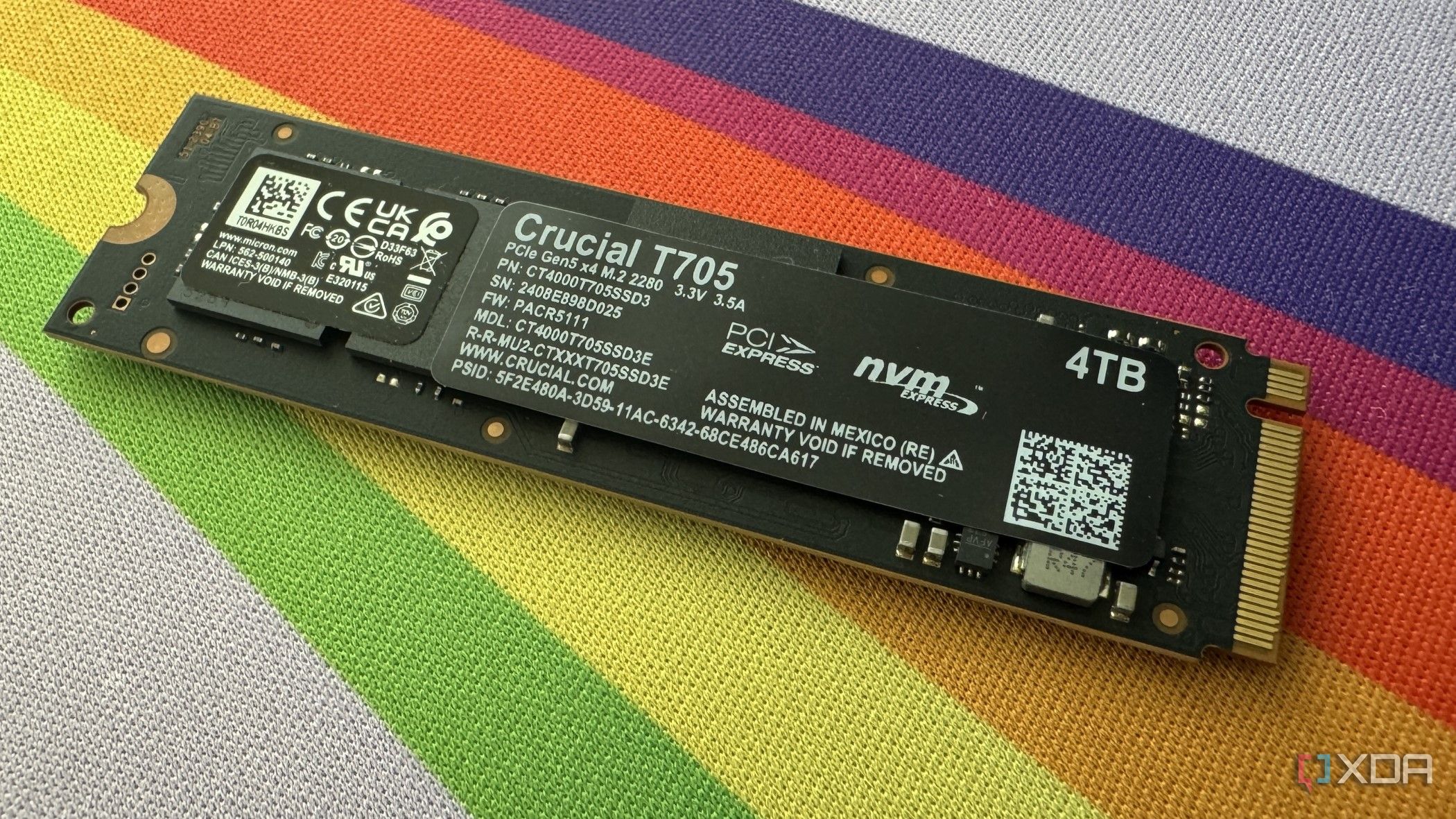
PCIe 5.0 (Gen5) SSDs have been available for a few years now, promising blazing-fast sequential speeds of up to 15,000 MB/s. While prices have dropped somewhat, the real question for most PC users is whether these drives offer any tangible benefit over the already-capable PCIe 4.0 (Gen4) models. This step-by-step guide will walk you through the key factors to consider before investing in a Gen5 SSD, helping you determine if it's the right choice for your specific needs. Spoiler: for the majority of gamers and general users, the answer is likely no – but for certain productivity and heavy-transfer workloads, the upgrade can be a game-changer.
What You Need
- A compatible system – A motherboard and CPU that support PCIe 5.0 (e.g., AMD Ryzen 7000 series or Intel 12th/13th/14th Gen with a Z690/Z790 board).
- Knowledge of your typical workloads – Are you a gamer, a content creator, or someone who moves large files daily?
- A budget – Gen5 SSDs typically cost 30-50% more than equivalent Gen4 drives.
- Benchmarking tools (optional) – CrystalDiskMark, ATTO Disk Benchmark, or real-world file transfer tests.
Step 1: Assess Your Primary Workload
Start by identifying the main tasks you perform on your computer. Gen5 SSDs excel at two specific workloads:
- Heavy file transfers – Copying or moving massive files (e.g., raw video footage, 3D models, database backups) where sequential read/write speeds matter.
- Productivity tasks – Professional video editing, 3D rendering, scientific simulations, and software compilation that involve large datasets and frequent disk access.
If your daily routine involves these activities, a Gen5 SSD could dramatically reduce waiting times. For everything else, like web browsing, office work, or light photo editing, the speed increase over a good Gen4 drive is negligible.
Step 2: Evaluate Your Gaming Habits
Gaming is the most common use case for many PC builders, but unfortunately, it’s not one of the workloads that benefits significantly from PCIe 5.0. Modern games load assets from the SSD, but the difference between a Gen4 and Gen5 NVMe drive in load times is often just a second or two – sometimes even imperceptible. Frame rates, texture streaming, and level-of-detail pop-in are largely unaffected because games are bottlenecked by the GPU and CPU, not storage bandwidth. If gaming is your primary activity, a high-quality Gen4 SSD (like the Samsung 990 Pro or WD Black SN850X) is more than sufficient and much more cost-effective.
Step 3: Check Your System Compatibility
Before you get excited about Gen5 speeds, ensure your hardware can actually support it. You’ll need:
- A motherboard with a PCIe 5.0 M.2 slot (often labeled as M2_1 or similar).
- A CPU that provides PCIe 5.0 lanes (AMD Ryzen 7000 series or Intel 12th Gen or newer).
- Proper cooling – Gen5 SSDs run hot and often require a heatsink or active cooling to maintain performance without thermal throttling.
If you’re on an older platform (e.g., Intel 11th Gen or AMD Ryzen 5000 series), you’re limited to Gen4, and upgrading your entire platform just for storage speed is rarely justified.
Step 4: Compare Real-World Performance
Don’t rely solely on marketing numbers like “15,000 MB/s.” Look at independent reviews that test real-world scenarios: file copy tests with large and small files, game load times, and productivity benchmarks like PCMark 10 storage tests. For most users, the sequential speed difference between Gen4 and Gen5 only shows in synthetic benchmarks or extremely large single-file transfers. In everyday use – booting Windows, launching apps, loading game levels – the difference is barely measurable. If you’re a content creator, run your own tests if possible: time how long it takes to export a 4K video or copy a 100GB file on your current drive, then compare that to Gen5 results online.
Step 5: Weigh Cost vs. Benefit
A Gen5 SSD often costs 30-50% more than a comparable Gen4 drive. For example, a 1TB Gen4 NVMe might be around $100, while a Gen5 version could be $150 or more. Ask yourself:
- Will that extra speed save me enough time to justify the cost? If you’re a video editor who exports multiple projects per day, even saving 30 seconds per export adds up. But for a gamer, that extra cost yields no perceptible improvement.
- Could the money be better spent elsewhere – on a faster GPU, more RAM, or a larger Gen4 SSD?
In many cases, the answer is yes. Unless you have a clear, measurable productivity need, Gen4 offers the best value today.
Step 6: Make Your Decision
Based on the factors above, you can now decide:
- Go Gen5 if: You regularly work with massive files (20GB+), perform frequent large transfers, or run workloads that are storage-bound (e.g., 8K video editing, heavy multitasking with VMs). Also consider if you want the fastest possible speculative sequential performance for future-proofing, though note that PCIe 6.0 is on the horizon.
- Stick with Gen4 if: You’re a gamer, office worker, or casual user. Gen4 speeds (around 7,000 MB/s) are already faster than what most applications can fully utilize. The cost savings and better value are hard to ignore.
Tips for Max Performance
- Pair with the right platform: Even with a Gen5 drive, your overall system balance matters. Pair it with a fast CPU and sufficient RAM to avoid other bottlenecks.
- Keep it cool: Gen5 SSDs can throttle under sustained load. Use the motherboard’s built-in heatsink or an aftermarket cooler with active airflow.
- Update firmware: Manufacturers often release firmware updates that can improve performance and stability. Check for updates after installation.
- Don’t overspend on capacity: Gen5 drives are more expensive per GB. If you need large capacity (2TB+), a Gen4 drive might be more economical.
- Test before committing: If possible, borrow or benchmark a Gen5 drive in your actual system to see if the real-world difference is worth the premium for your specific tasks.
Ultimately, PCIe 5.0 SSDs are a niche product that shines in heavy file transfer and productivity environments. For most users, especially gamers, they remain an unnecessary luxury. Let your actual workflow – not marketing hype – guide your purchase.